Start Your Career in SharePoint, Power Apps & SharePoint Framework (SPFx)

A simple 6‑month roadmap, live mentoring, and real projects to help students, freshers, and career‑switchers get their first IT job.

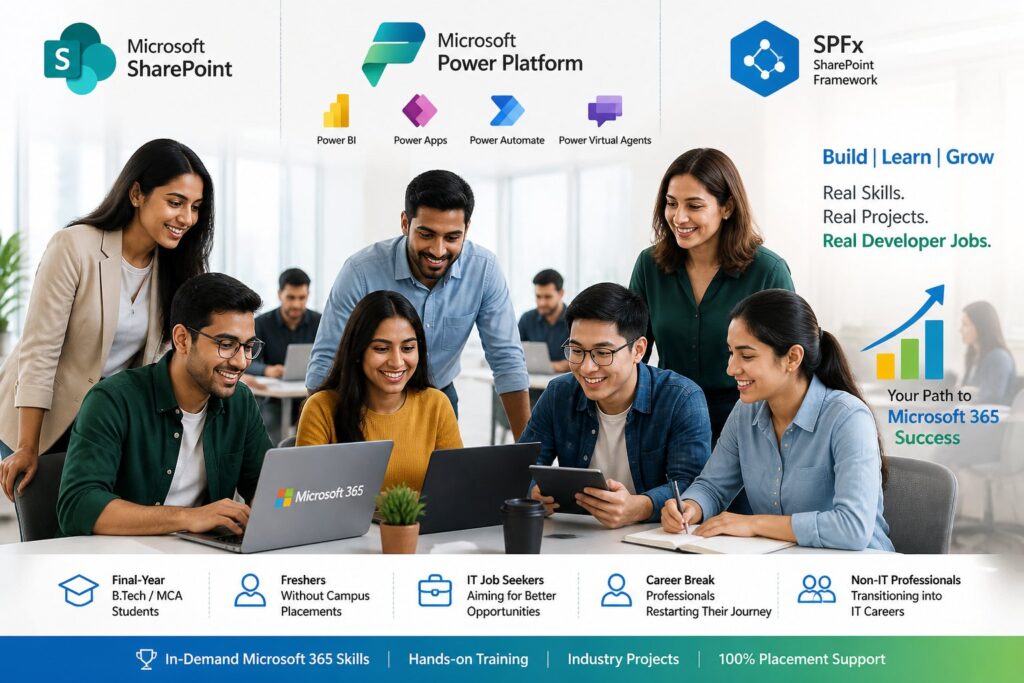
Who SmartCareerPaths.ai Helps

If you want a clear, practical path into a real developer job, this is for you.

Get jobs in Power Apps

The Jobs We Aim For – And the Courses That Support Them

SharePoint Online Developer

📌 What you do: Build intranet sites, lists, libraries, and business solutions on SharePoint Online.
📌 Course we use: SharePoint Development Training Course – 6 modules with real project scenarios that prepare you for developer roles.
📌 Outcome: Ready to work on SharePoint Online projects in real organizations.


Power Platform / Power Apps Developer

📌 What you do: Build business apps using Power Apps, automate processes with Power Automate, and use Power BI/Power Pages where needed.
📌 Course we use: Power Platform Training Course – 19 modules and 35+ hours of practical content on Power Apps, Power Automate, Power BI, Power Pages, and Copilot Studio.
📌 Outcome: Ready to work as a Power Apps/Power Platform developer on internal apps and automation projects.

SPFx (SharePoint Framework) Developer

📌 What you do: Build modern web parts, extensions, and custom solutions on SharePoint using SPFx and client‑side development.
📌 Course we use: SharePoint Framework (SPFx) Training Course – 8 modules with 25+ hours of modern development scenarios.
📌 Outcome: Ready to handle modern SharePoint customizations and advanced development work.

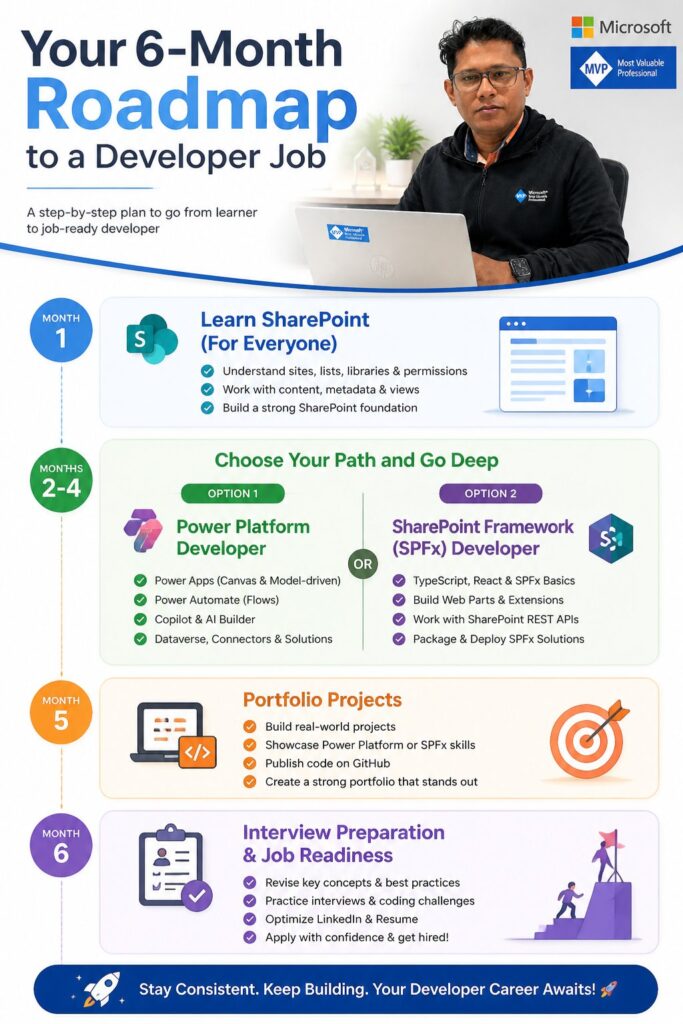
Your 6‑Month Roadmap to a Developer Job

We follow one simple rule: everyone starts with SharePoint, then chooses a focused path and goes deep, instead of trying to learn everything at once.

Month 1 – Learn SharePoint (For Everyone)
🔷 Set up your environment and learn SharePoint basics: sites, lists, libraries, permissions, and real‑world use cases.
🔷 Build your first simple solutions so you understand how organizations actually use SharePoint.
🔷 By the end of Month 1, you’ll know the SharePoint foundation well enough to choose your next path.

Months 2–4 – Choose Your Path and Go Deep
After Month 1, you choose one of two clear paths and focus on it for the next 3 months.
Option 1: Power Platform Developer (Power Apps, Power Automate, Copilot)
🔷 Learn how to build business apps with Power Apps on top of SharePoint and other data sources.
🔷 Automate processes with Power Automate and start using Copilot to speed up app building and automation.
🔷 Work through structured modules and projects that prepare you for day‑to‑day Power Platform developer work.

Option 2: SharePoint Framework (SPFx) Developer
🔷 Set up your SPFx development environment and learn modern client‑side development for SharePoint.
🔷 Build custom web parts and extensions for real business scenarios.
🔷 Focus on programming, TypeScript/JavaScript, and custom solution building for people who enjoy coding.

You stay on your chosen path for Months 2, 3, and 4 to build real depth instead of jumping between technologies.

Month 5 – Portfolio Projects
🔷 Build 1–2 solid portfolio projects based on your chosen path (Power Platform or SPFx).
🔷 Polish and document your projects so you can talk about them confidently in interviews.
🔷 Prepare a simple portfolio you can share with recruiters and hiring managers.

Month 6 – Interview Preparation & Job Readiness
🔷 Prepare for interviews: common questions, scenario‑based discussions, and mock interviews.
🔷 Improve your resume and LinkedIn profile to highlight your SharePoint foundation and chosen specialization.
🔷 Get guidance on applying for roles that match your skills and projects, and refine based on feedback.

6 month roadmap for Power Apps developer

Learn from Real‑World SharePoint & Power Apps Practitioners

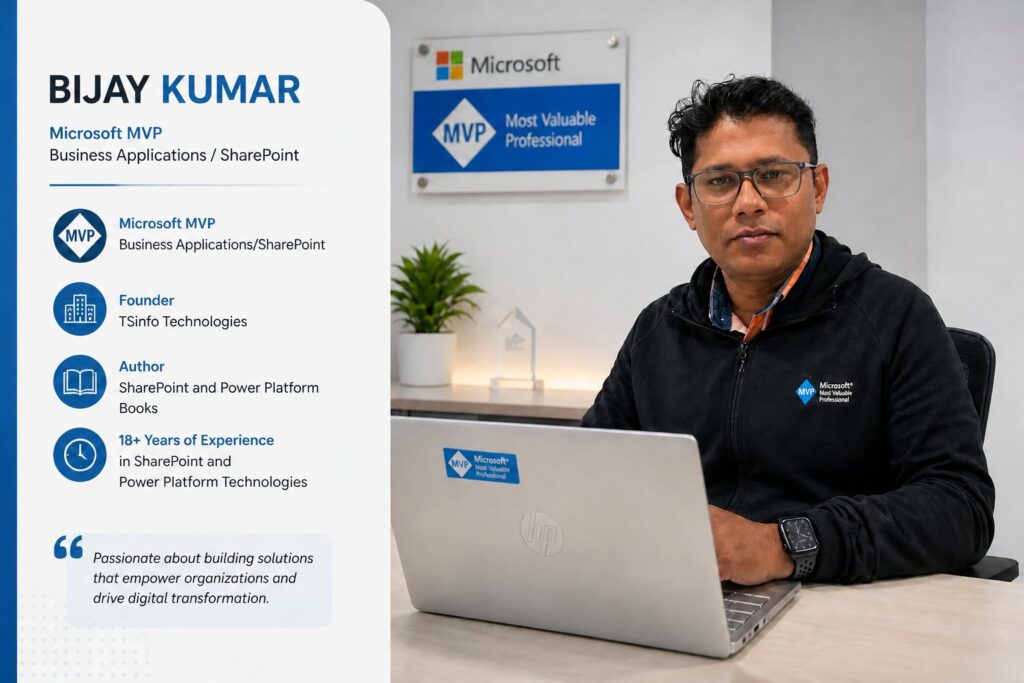
SmartCareerPaths.ai is led by a mentor with more than 18 years of hands‑on experience in SharePoint, Power Apps, Power Automate, and SPFx, and multiple Microsoft MVP awards in the Business Applications space.

What Our Learners Say

Ready to Plan Your Career Path?

If you’re serious about starting or restarting your IT career in SharePoint, Power Apps, Power Automate or Microsoft Copilot or SPFx, let’s build a clear 6‑month plan together.

Stay Connected and Get Regular Updates

We don’t want you to miss opportunities, new videos, or roadmap updates. Join our free communities and stay in touch.

Frequently Asked Questions

How is this different from just buying an online course?

Buying an online course gives you content; SmartCareerPaths.ai adds guidance, structure, and accountability on top of that content. You get a 6‑month roadmap, help choosing the right path, feedback on your progress, and support with projects, portfolio, and interviews—so you’re not learning alone and guessing the next step.

Yes. This is exactly for you. Many freshers don’t get placed on campus and then feel stuck because they don’t know what to learn or how to explain their skills to companies. Here, you follow a clear 6‑month roadmap: first build a solid foundation in SharePoint, then go deep into either Power Platform or SPFx, create 1–2 real projects, and prepare specifically for interviews so you can apply off‑campus with confidence.

If you can give 18-20 focused hours per week, you can follow this plan comfortably alongside college or a job. That can be 3–4 hours on weekdays, plus a bit more on weekends. If you have more time, you’ll move faster; if you have less, we adjust expectations and the roadmap

No. You don’t need prior coding experience to start with SharePoint and the Power Platform. Basic computer skills and a willingness to practice are enough. If you later choose the SPFx path, we help you pick up the necessary programming fundamentals step by step.

SmartCareerPaths.ai is the career and mentoring layer, and SPGuides Academy provides the structured video courses. We use specific SPGuides courses for SharePoint, Power Platform, and SPFx, then wrap them in a 6‑month plan, weekly guidance, project ideas, and interview preparation so you can actually get job‑ready.

Yes, that’s one of our main focus groups. Many people successfully switch from non‑IT roles or return after a break by following a clear roadmap, building practical skills, and creating a small but strong project portfolio. The plan is designed so you can learn alongside existing responsibilities, as long as you can commit steady time each week.